1. Using search and filters
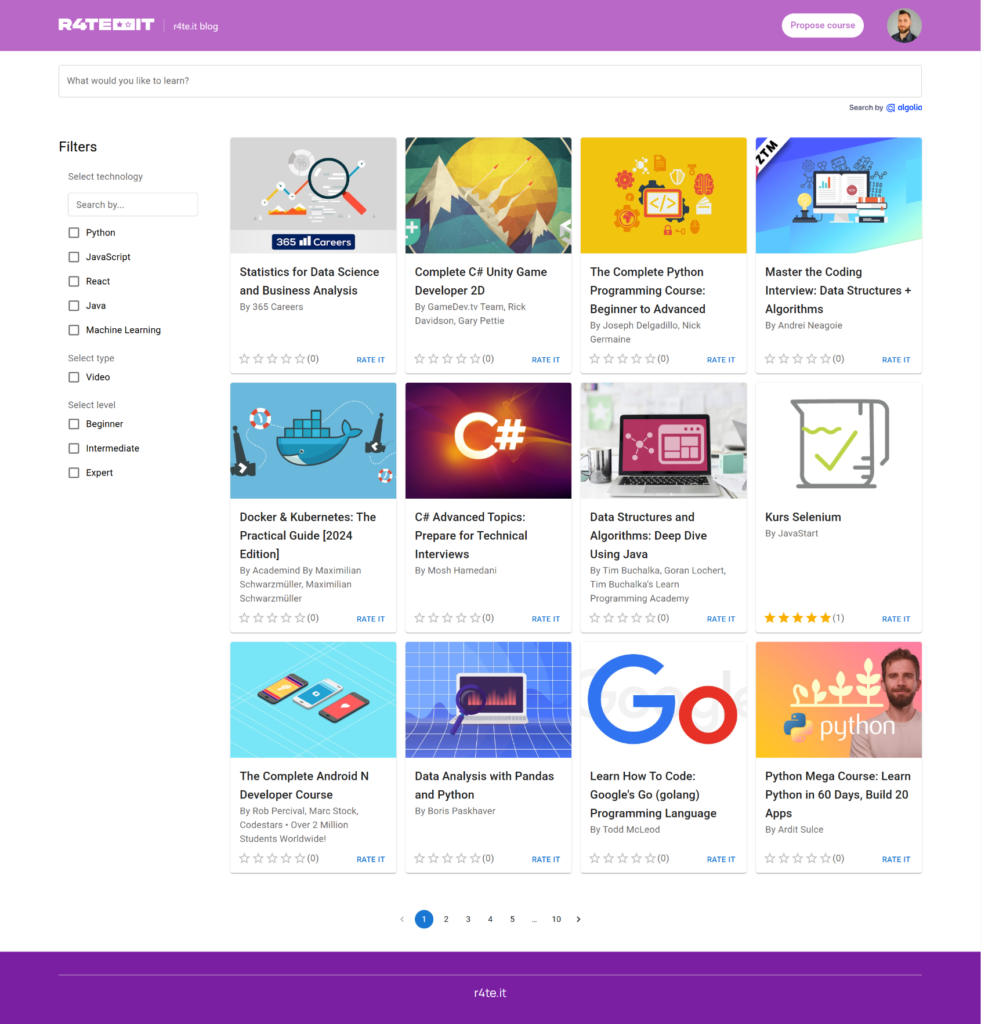
You can find courses by using search or filtering them by technology, type (Video or Book) and experience level. Notice that not all of the technologies are visible on the left panel immediately, use filter search to find technology you are interested in.
2. Checking course landing page
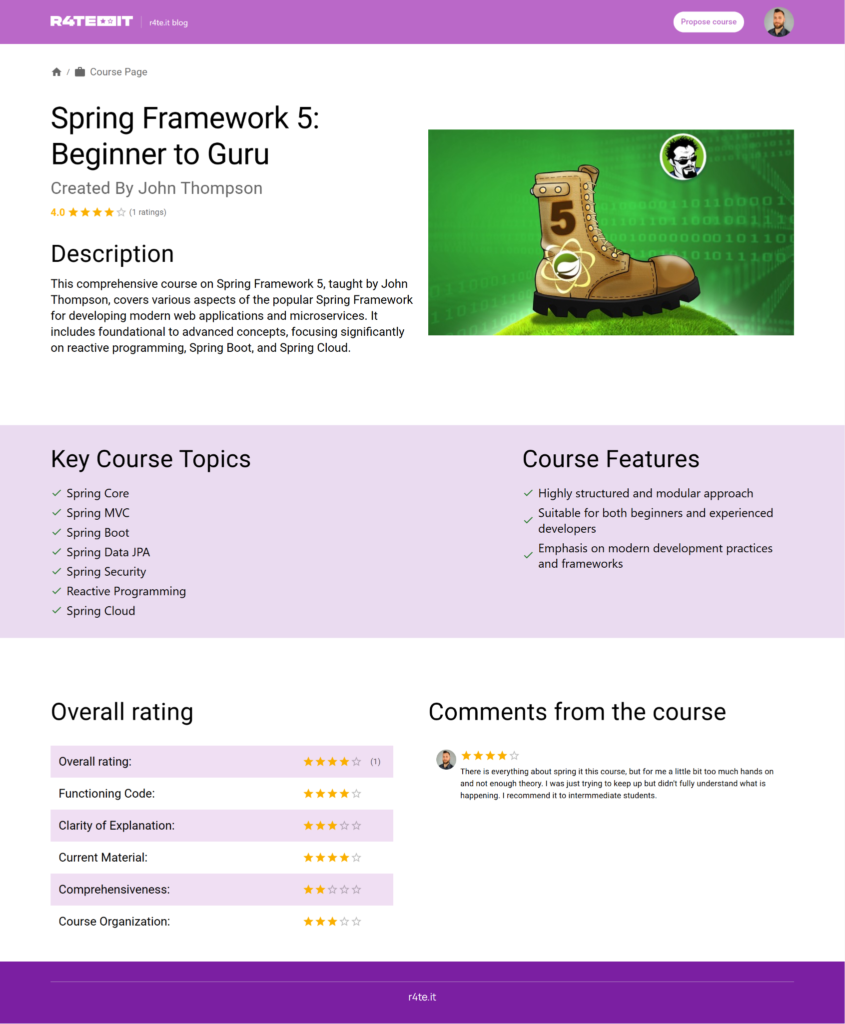
When you click on the specific course you will see course landing page. There are 3 main sections.
- In the first section you can see title of the course, author, brief description and a photo related to this course.
- In the second section there are some key topics and features that the course is offering.
- In the last, third section you can see ratings and comments.
3. Rating courses
- You need to be logged in to rate courses.
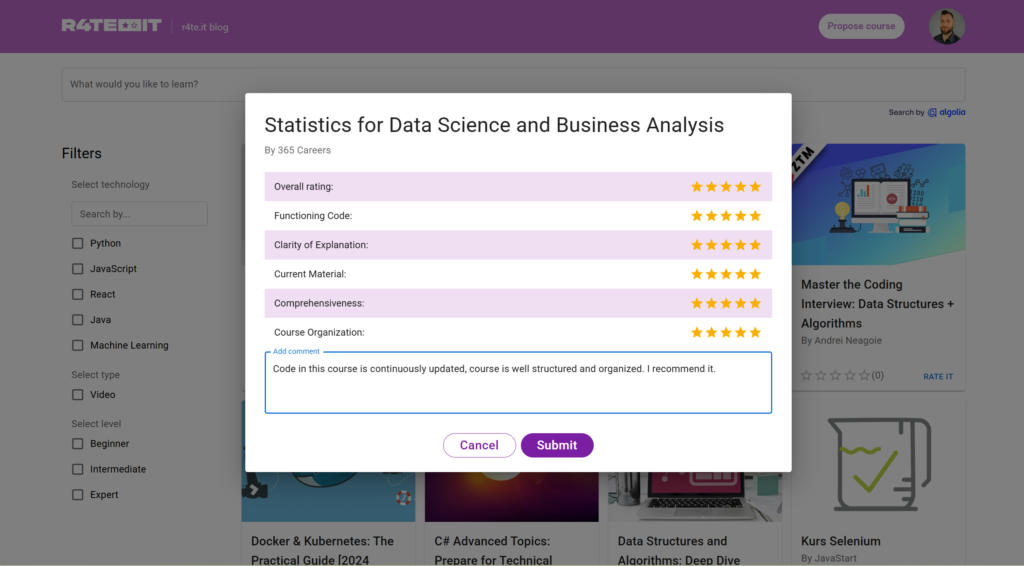
- Click RATE IT on the course that you want to rate.
- Fullfill the form.
- Click submit.
4. Proposing new course
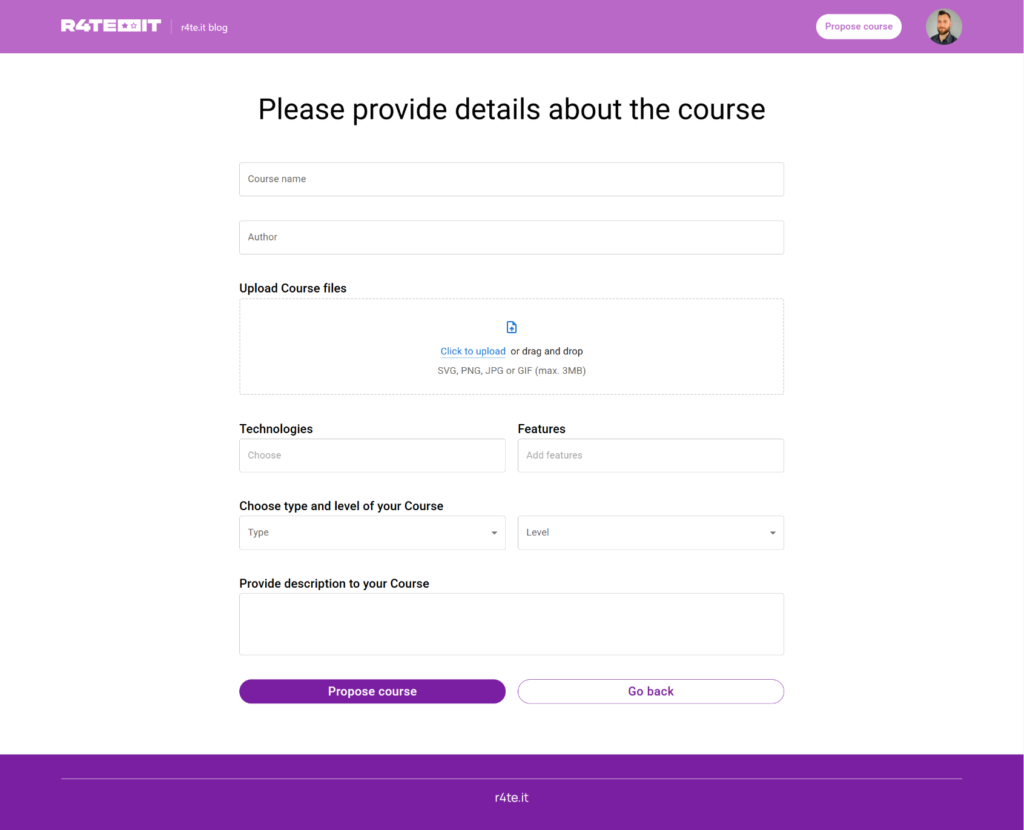
- If you want to rate the course that is not on the website, you can firstly propose it by clicking Propose course in the right top corner.
- Fullfill at least the required fields.
- Click propose.
- Proposed course will need to be verified by the admin, usually it takes no longer than 24 hours.
- When to course is verified by administrators, you can see it already on the website and you can add your rating.